Track each person's share for every expense
You can record how much each person covers, so shared expenses stay clear from the start.

Split bills, settle advances, scan receipts with AI, and share lists.
Shareroo is an iOS shared budget app for couples, married partners, families, and roommates to manage shared expenses, bill splitting, advance settlement, AI receipt input, shopping lists, and to-dos in one place. It works without bank linking on iPhone, iPad, Mac, and Apple Vision.
No matter how you live, manage shared money smoothly.
No more "how much did we spend this month?" Bill splits and upfront payments are organized in one shared wallet, so balances stay clear.
Keep household finances transparent. Capture receipts, track spending by category, and see monthly trends at a glance.
Works for up to 10 people. Manage grocery lists and chores together — the system stays organized as the group grows.
Everything you need for shared household finances, in one app.
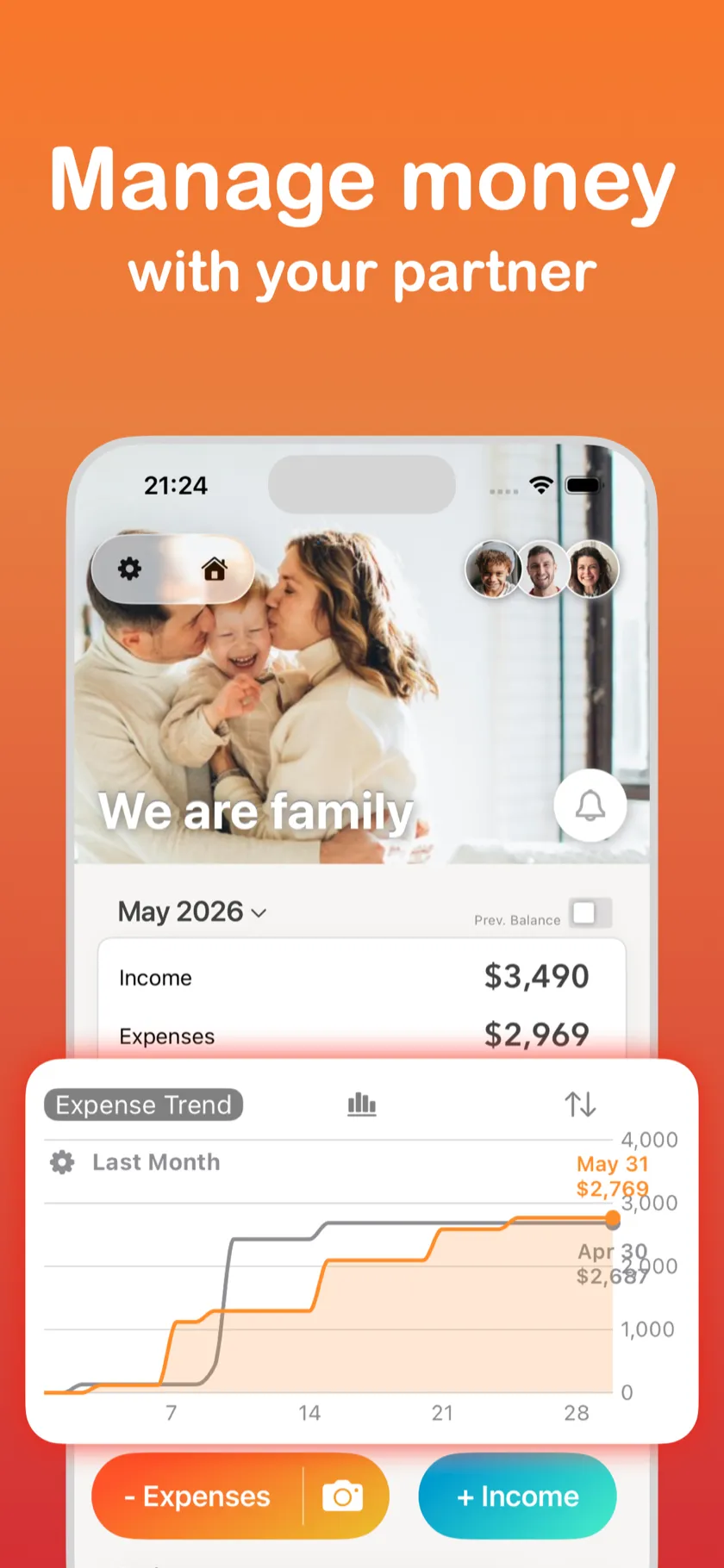
See income, expenses, and spending trends at a glance on the shared home screen. Set a family wallpaper and make it feel like your own. Share with your partner and never ask "how much did we spend?" again.
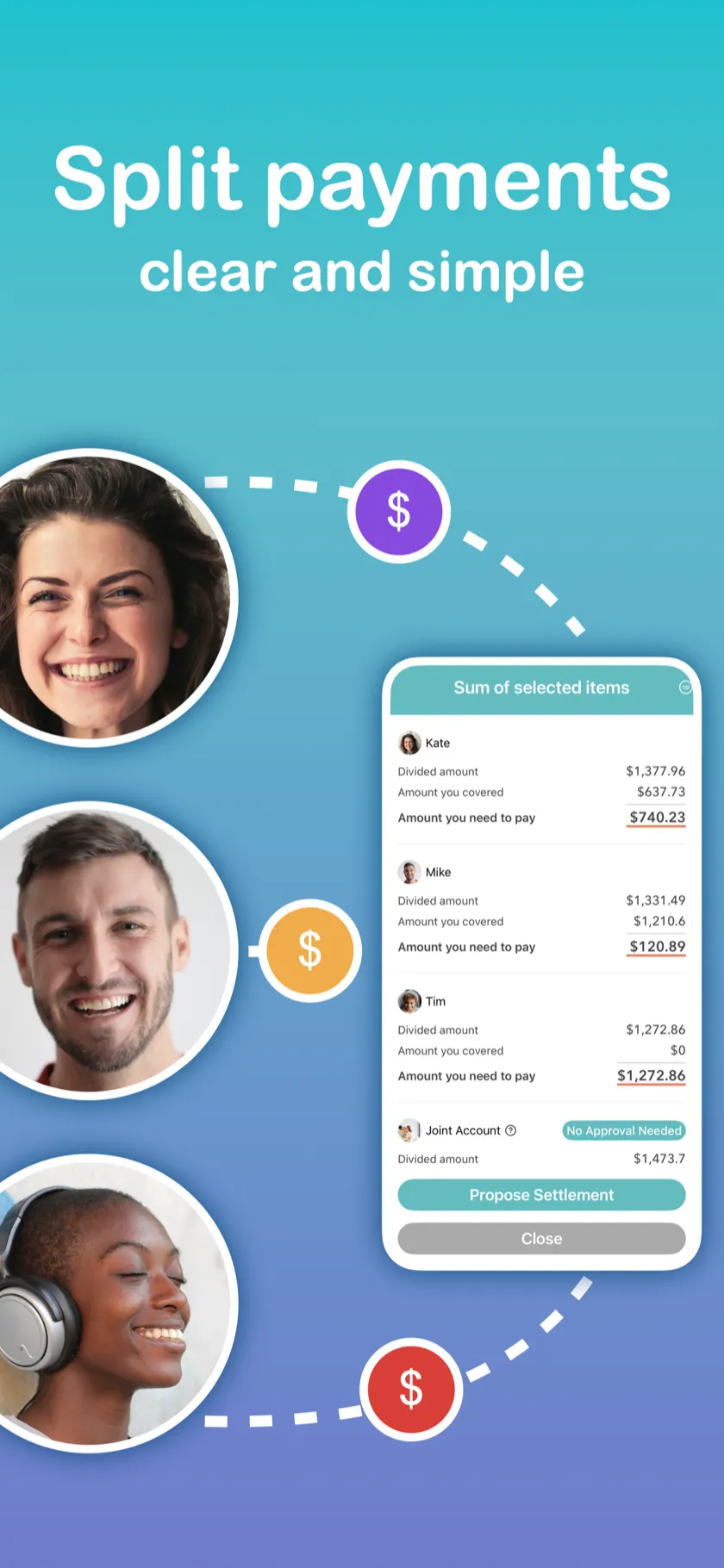
Split expenses equally, by percentage, or by exact amount, and settle advances in the same app. Upfront payments are tracked automatically, and one tap confirms who owes what. No more money arguments.
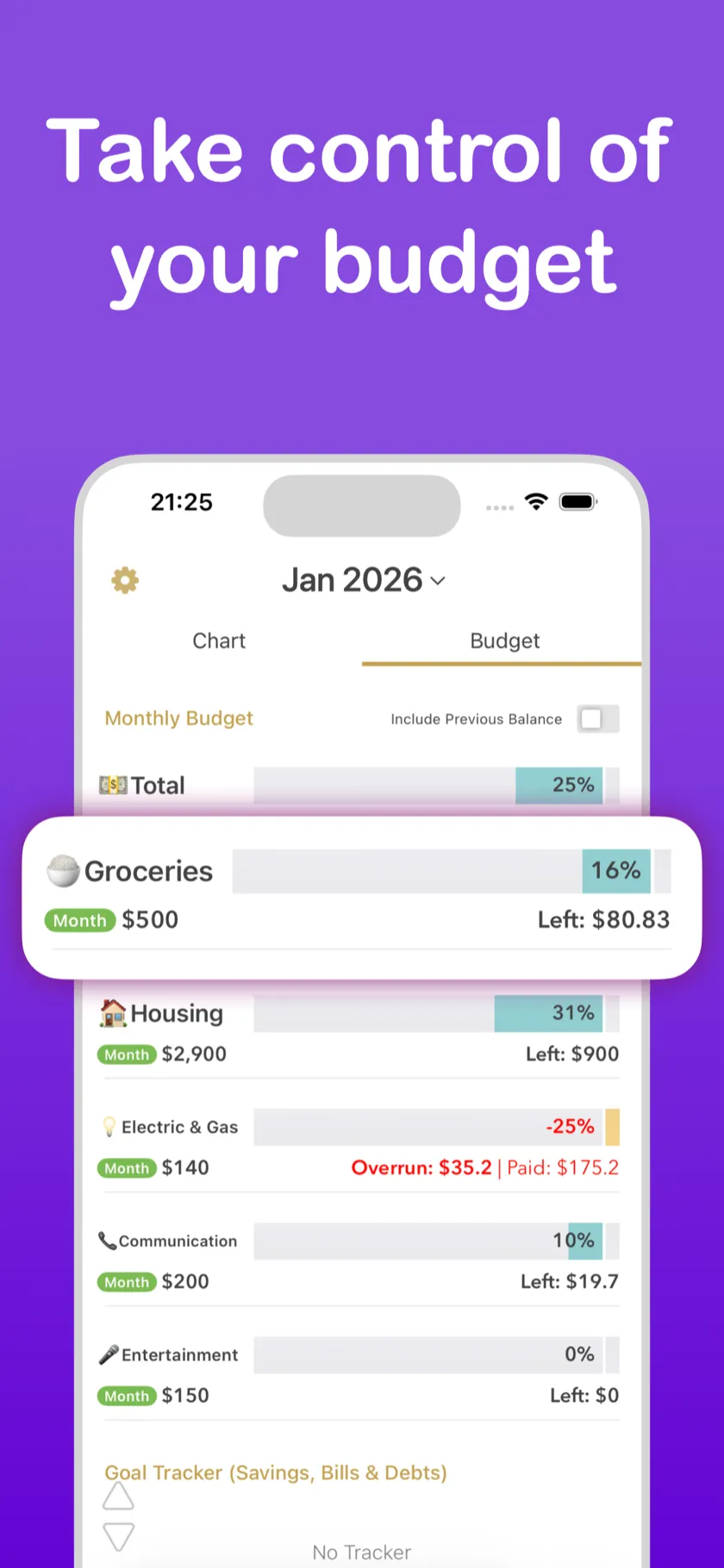
Set monthly budgets by category and see at a glance how much you've spent and what's left. Overruns are highlighted so you can adjust before the month ends.
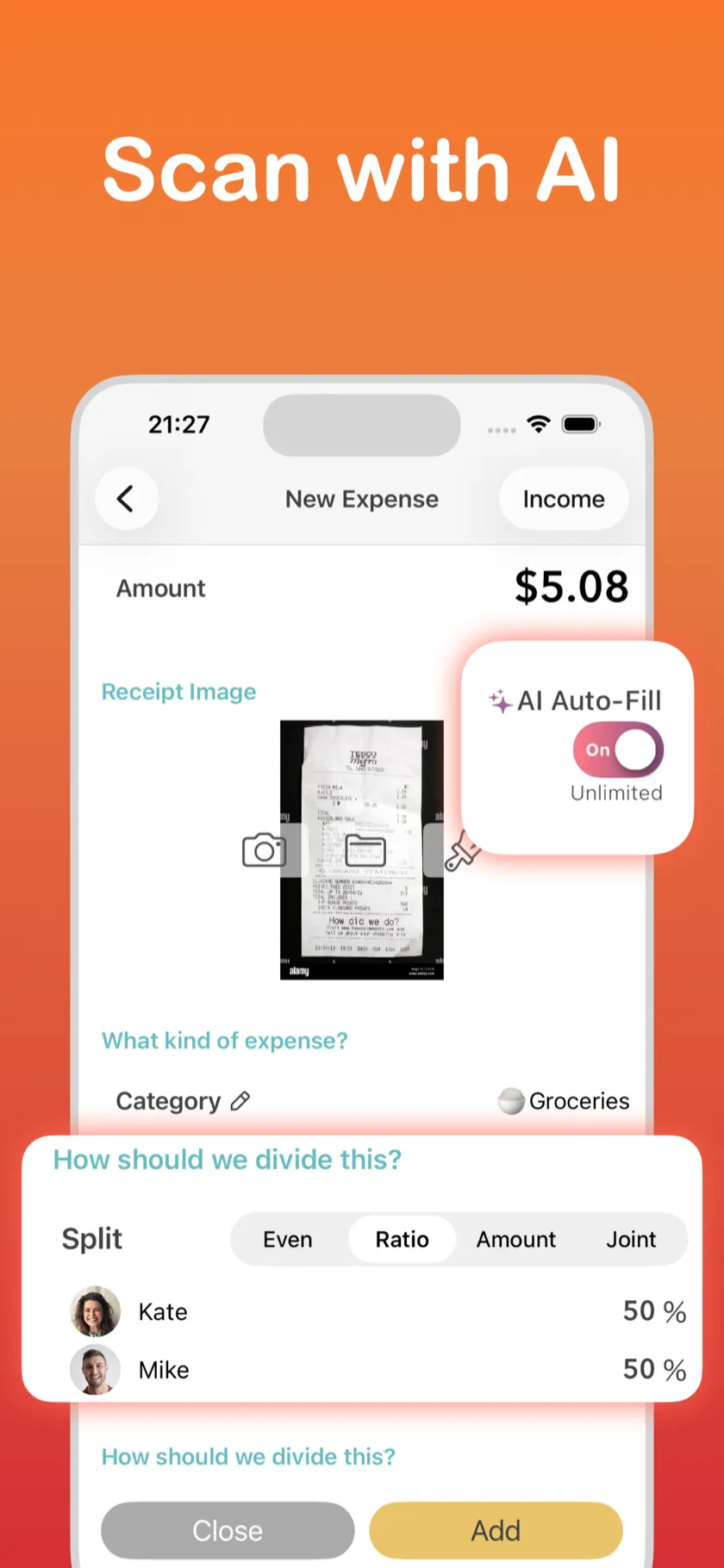
Just snap a photo and AI fills in the amount, category, and date automatically. Choose how to split right on the input screen. Less manual entry makes it easier to keep tracking every day.
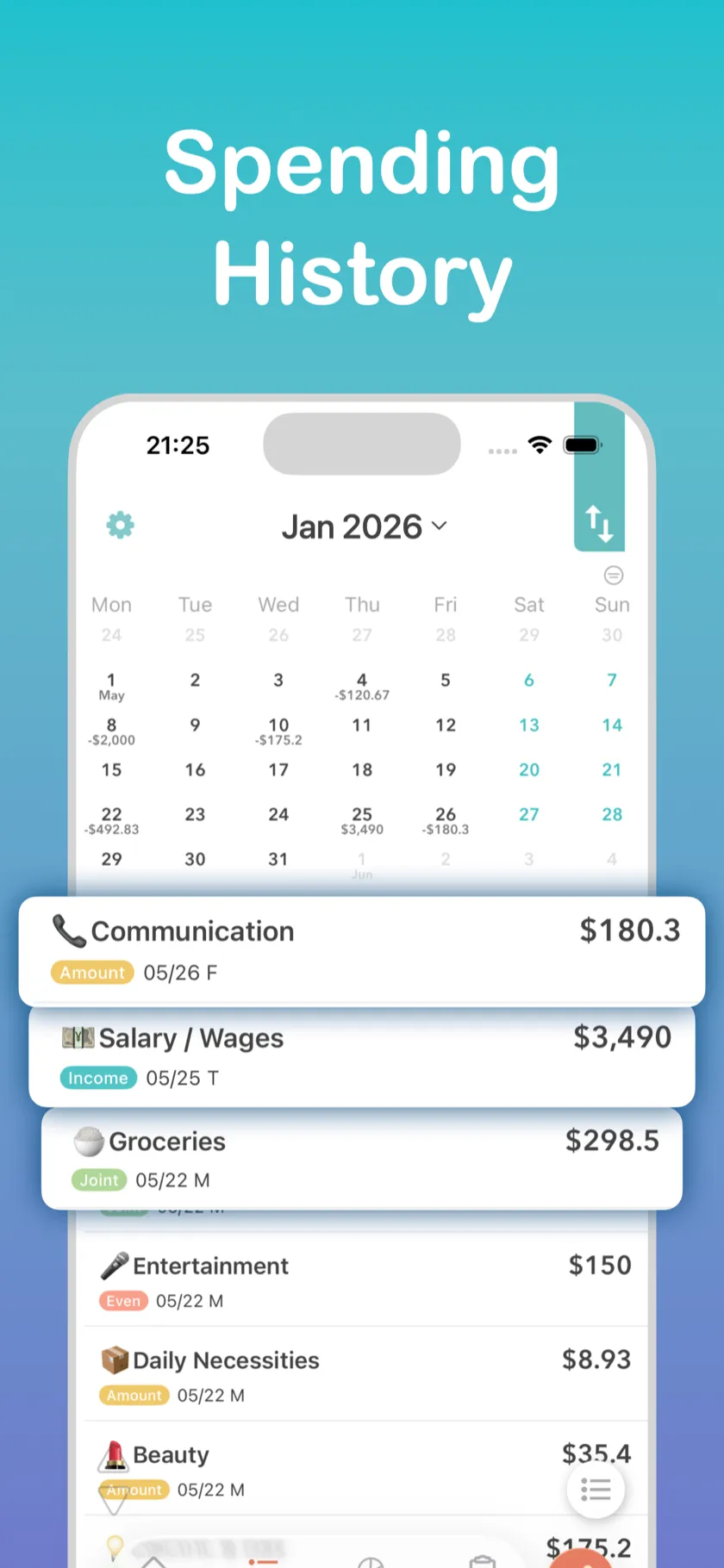
Review every expense on a calendar with daily totals and category details. Tap any date to see what was spent, by whom, and in which category. Income and expenses are color-coded so patterns are easy to spot.
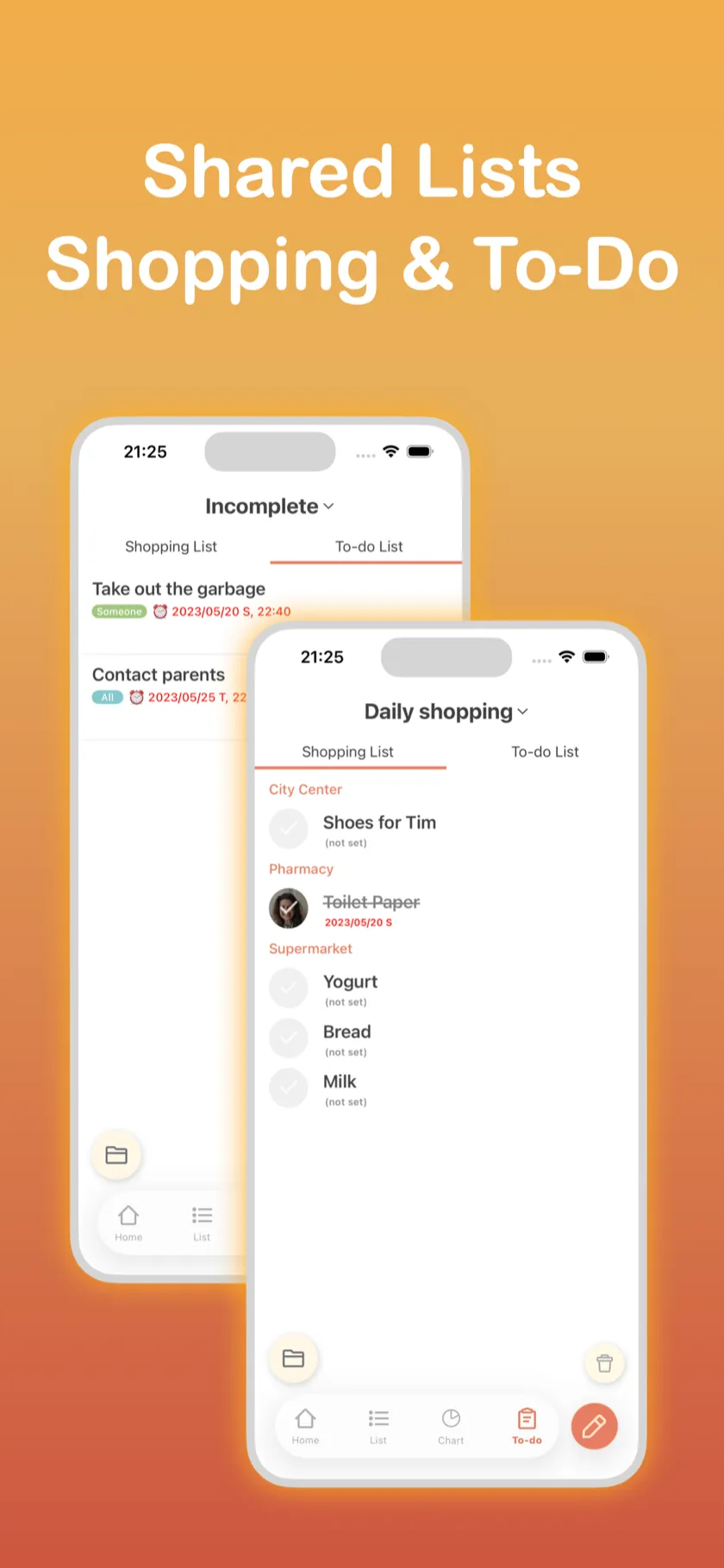
Share shopping lists and to-do lists in one place, with real-time sync. Organize items by store, assign chores to people, and set deadlines. Everything syncs in real time with family and roommates — nothing gets forgotten.
Shared spending, each person's share, and settlement all stay in one place.
You can record how much each person covers, so shared expenses stay clear from the start.
Who paid upfront and who needs to pay back is summarized right away.
You can manage only the shared household budget without connecting bank accounts or cards.
"Managing money was stressful after we moved in together, but Shareroo automated bill splitting and we stopped arguing about money entirely."
"Receipt capture is so easy. This is the first time I've kept a budget for more than 3 months."
"We use it for our 3-person apartment. Who paid what is crystal clear, and settling up is just one tap."
Basic info
Source: App Store listing and official product information (as of April 1, 2026) / Ratings vary by storefront
People looking for a shared budget app usually have two questions: how should shared expenses be split, and which app fits that setup?
For readers who want to sort out 50/50 splits, income-based splits, advances, groceries, rent, and shared household routines before choosing a tool.
For readers comparing Shareroo with Splitwise, Tricount, Settle Up, Splid, or Bill Bear and deciding whether they need a household budget app or a one-off bill splitter.
See app comparisonsCore shared budget features are free to use.
Included for free
Extra features in the paid plan
Shareroo is an iOS / Apple-device-only app.
Supported languages
Currency support
Make shared budgeting easier.
Download on the App Store